
The 24/7 Profit Machine: Why Your Front Desk Is Leaking Cash (And How to Fix It)
Let's look at a quick reality check.
Picture this: It is 7:15 PM on a Tuesday. A hot, ready-to-buy lead lands on your website after a long day at work. They are experiencing a major problem; they have their credit card sitting right next to their keyboard, and they want to book a service immediately.
They click your contact page, look for an immediate booking option, but find nothing. Instead, they see a generic text block that says: "Our office hours are 9:00 AM to 5:00 PM. Please leave a message."
What do you think happens next?
Do they patiently wait fourteen hours for your team to open up the office, log in, and check an email inbox?
Not a chance.
They hit the back button, head straight back to the search results, and hand their money over to your closest competitor, who can onboard them instantly.
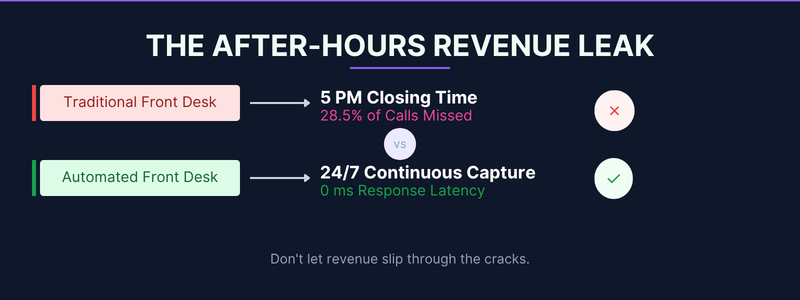
Data shows that roughly 28.5% of inbound business inquiries arrive completely outside of standard operational business hours.
If you are still relying on a traditional, human-only reception desk to capture your market space, you are essentially hanging a "closed" sign on your digital storefront for nearly a third of the day.
To keep your business moving forward, you must change how you look at incoming traffic.
Transitioning your business to a modern, automated front desk architecture ensures you never drop a warm lead again.
Let's break down exactly how this technology stops the cash leaks, scales your workflows, and transforms your administrative operations into a high-performance sales engine.
1. Eliminate the Costly Friction of Delayed Human Repetition
Human receptionists bring genuine empathy and complex problem-solving skills to your business framework. However, forcing an expensive, highly trained employee to spend four hours a day repeating the exact same basic information is a massive waste of creative energy.
Think about the repetitive questions your office fields daily:
"Where exactly are you located?"
"What are your holiday operational hours?"
"Can you send me a basic pricing sheet?"
"Are you available for an appointment tomorrow morning?"
When you deploy a smart automated front desk ecosystem, you offload these repetitive conversations to an intelligent digital asset.
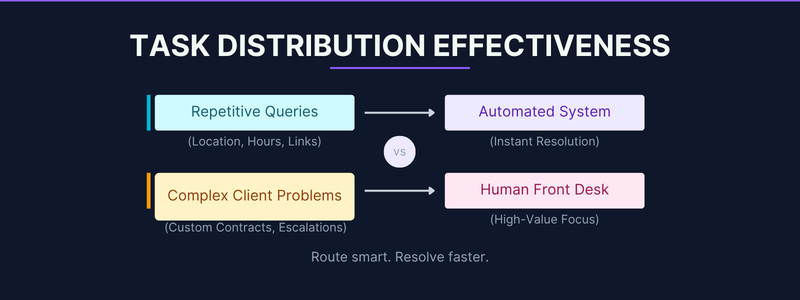
Modern systems process incoming requests with less than 600 milliseconds of latency. Because the background software interprets conversational language patterns instantly, users get accurate answers without waiting on hold. Your human team can then focus on closing high-value contracts and building deep client relationships.
2. Capture and Qualify Traffic at the Moment of Highest Intent
When a prospect reaches out to your brand, they are inside a critical buying window. If you force them to navigate a clunky, multi-day email chain just to secure an open calendar slot, their initial excitement will slowly fade away.
An automated front desk completely removes this systemic friction. By connecting a smart interface directly to your central CRM software, the system guides users through a natural conversation path that qualifies their budget, extracts their exact contact information, and presents open calendar openings in real time.
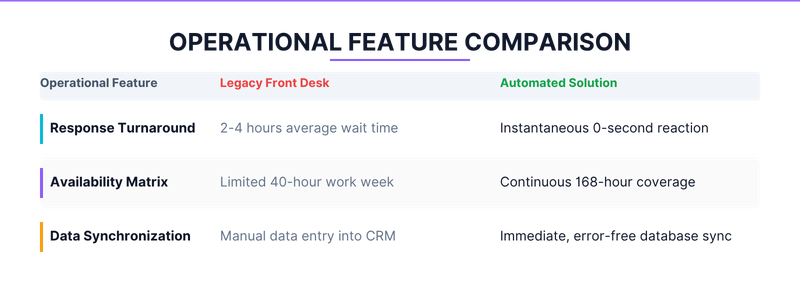
This continuous data capture prevents warm leads from slipping through structural cracks. Because your software works tirelessly in the background, you gather high-quality client metrics even while your physical office is closed for the weekend.
3. Achieve Flawless Database Integrity and CRM Synchronisation
Manual data entry is naturally prone to human error. A misplaced digit in a telephone number or a single typo in an email address completely destroys a warm sales lead.
An automated front desk setup eliminates these data collection errors. The system captures client specifications directly from the user's input, standardises the formatting rules, and syncs the records across your entire software stack.
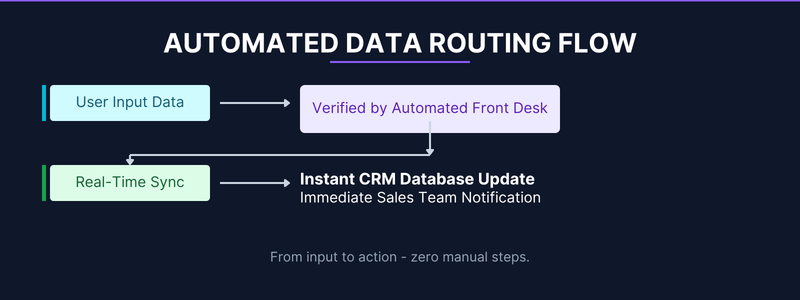
Equally important, this clean data flow enables your account executive team to take action much faster.
When an inbound lead requests an emergency callback, the software registers the intent and triggers an immediate text notification to your staff. Quick follow-ups consistently generate significantly higher conversion rates.
4. Protect Your Business Bottom Line from Staffing Uncertainties
Managing an office requires handling constant human resource challenges, including employee turnover, onboarding costs, and unexpected sick leave. When your primary receptionist calls out unexpectedly, your entire communication system can quickly grind to a halt.
An automated front desk system provides an unbreakable layer of operational stability. This software never gets sick, never requires a lunch break, and handles massive transaction spikes without feeling overwhelmed.
Pro-Tip: Integrating a scalable communication setup allows your business to handle sudden lunch-hour traffic peaks without needing to hire part-time administrative support.
To learn more about how intelligent data workflows reduce operating costs, review the latest market insights available directly at Forbes Innovation.
5. Build Stronger Relationships Through Proactive Client Matching
Many business owners worry that introducing software into their front office will make customer interactions feel cold or robotic. However, real-world operational data demonstrates the exact opposite result.
When you install an automated front desk framework, the system recognises returning clients by analysing incoming phone numbers or email records. It instantly displays their previous service history, matches them with their preferred account manager, and populates relevant fields automatically.
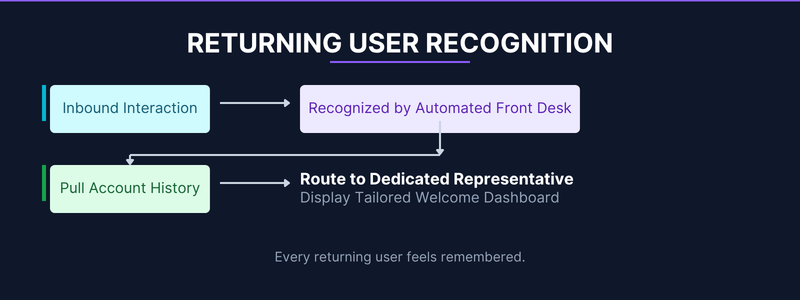
This fast data extraction makes your clients feel recognised and valued.
Instead of forcing regular customers to repeat their billing details on every single interaction, your system creates a hyper-personalised experience that builds long-term brand loyalty.
6. Maintain Strict Legal Compliance and System Transparency
As modern privacy laws tighten globally, protecting sensitive client data is an absolute business necessity. Handling customer information using scattered text files or handwritten desk notes creates major compliance risks.
A securely built automated front desk manages data storage safely from the very first touchpoint. The platform logs interaction details, handles secure verification forms, and stores compliance records in an organised, searchable database archive.
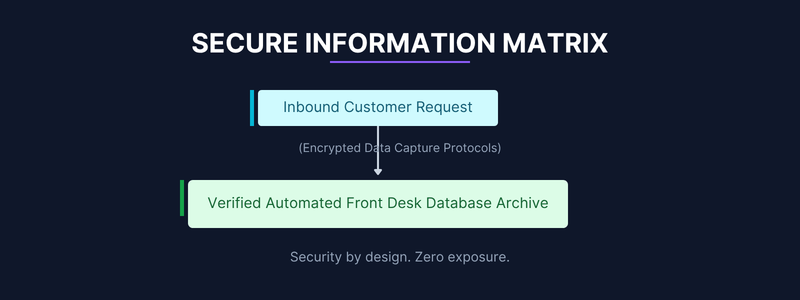
This clear data structure protects your brand from liability risks while ensuring your operational records remain completely audit-ready. Your clients can trust that their personal information is protected by modern data security standards.
7. Scale Your Business Across Time Zones Without Increasing Overhead
If your business aims to capture regional or national accounts, operating strictly within a single local time zone limits your growth. Paying human staff to cover late-night shifts or distant time zones drastically cuts into your profit margins.
Deploying an automated front-desk solution instantly solves this geographical limitation. The system handles regional variations, updates pricing rules automatically based on user location, and speaks multiple languages fluently right out of the box. You can expand your market reach across the country without adding to your overhead costs.
A Simple Weekly Automation Management Plan
To ensure your digital intake channels perform at their absolute peak, build an operating routine around this direct operational checklist:
Verify CRM API Integrations: Confirm that user entries flow smoothly into your primary sales tracking pipelines.
Review Customer Journey Friction: Identify drop-off points where users leave your digital booking funnels.
Update Seasonal Content Variables: Keep your system fresh by updating holiday calendars and pricing tiers.
Analyse Lead Response Metrics: Verify that your staff takes action on automated alerts within your target timeframe.
If setting up these data workflows feels overwhelming while managing your day-to-day operations, our expert staff at Easy Automated Sales can handle the heavy lifting. We specialise in building automated communication architectures that eliminate manual data entry and capture lost leads. We manage the complex tech setup, so your team can focus entirely on closing deals.
Explore our dedicated Industry News portal to review real-world case studies detailing how smart business owners deploy automation to boost sales.
To study the official guidelines on how search systems evaluate and crawl modern automated web assets, review the developer documentation available at Google Search Central.
Frequently Asked Questions
1. Will an automated front desk system alienate older, less tech-savvy clients?
No. Modern automation platforms use clear, natural conversational text and simple layouts. The user interaction mirrors a standard text message conversation, making it highly accessible and easy to navigate for clients of all ages.
2. How long does a full system installation take before we see measurable ROI?
Most businesses notice an immediate drop in missed calls and an increase in after-hours bookings within the first 48 hours of activation. A complete integration into your existing CRM system typically takes between 2 to 4 weeks to mature fully.


